
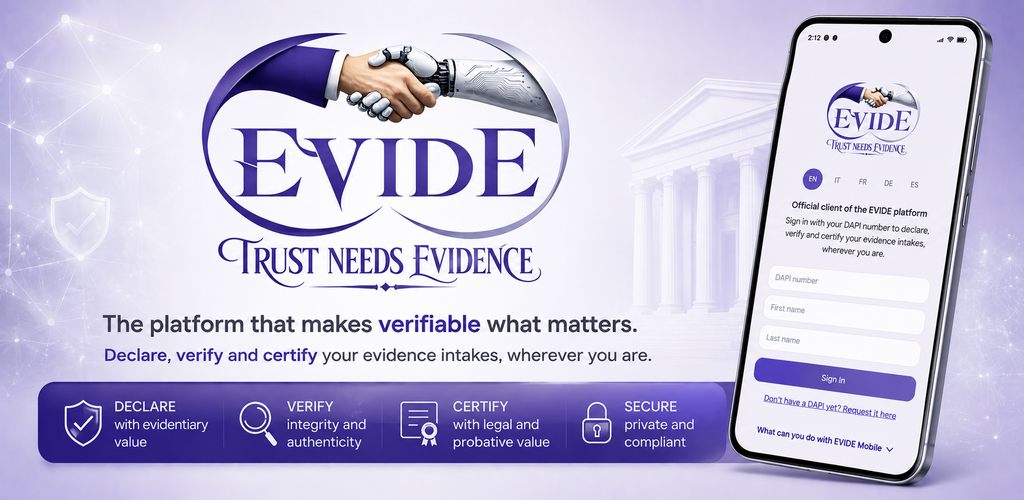
EVIDE MOBILE
EVIDE Mobile: Your Intakes, Wherever You Are
Access your EVIDE environment from your mobile device and return to your previous intakes whenever you need to review what was declared and preserved.
EVIDE Mobile is the official mobile client of the EVIDE platform. It operates on the same records and within the same evidentiary environment used through the web platform - not a separate archive or a second evidentiary system.
Create and review intakes during meetings, inspections, client work, audits, investigations and other field activities, without having to return to a desktop computer.
Built around five things
Persistent sign-in
Once authenticated, EVIDE Mobile can retain your authenticated session on the device, reducing repeated login steps when you return to the app.
Your previous intakes, directly from mobile
Search, filter, open and review your previous EVIDE intakes directly from your phone, with their evidentiary status visible at a glance.
Human Structured Intake, at hand
Human Structured Intake lets you record a structured, attributable human declaration, decision or intervention directly from the mobile environment — particularly useful during meetings, inspections or other field activities. The full field reference lives in the official documentation.
Read the Human Structured Intake documentation →🌍 Five languages, from day one
EVIDE Mobile launches in English, Italian, German, French and Spanish. Bringing it to five languages required enormous care: evidentiary terminology cannot simply be translated word for word - identity, status, declarations, interventions and case relationships must remain clear and consistent across the entire mobile experience.
Case Navigator
Case Navigator lets you follow the registered relationships between linked intakes and certifications, node by node, from your phone — one of the more distinctive things EVIDE Mobile does.
Download
Download EVIDE Mobile
What you can do
With EVIDE Mobile you can
The screens below are the ones shipping in the current build — not a roadmap.
Create Evidence Intakes
Deposit a file, a ZIP, a URL, free text, or a structured declaration directly from your phone.
External Artifacts can remain under your control. EVIDE records the declared reference and the evidentiary information submitted with the intake without requiring the referenced artifact itself to be uploaded.
Human Structured Intake
Human Structured Intake lets you record a structured, attributable human declaration, decision or intervention directly from the mobile environment, together with the context submitted with it. This can be particularly useful when the record needs to be created during meetings, inspections or other field activities.
Explore Human Structured Intake →Review Previous Intakes
Browse, search and filter your past intakes — by registry status, FCC signal or general status — and check their evidentiary status at a glance.
Search Intakes
One search screen, three ways in:
- Case reference
- Organization
- EVIDE / public reference code
Case Navigator
Search by a case reference, an organization, or a public EVIDE code to access the corresponding registered records and, where linked records are available, navigate their registered relationships node by node.
In practice: find a client, case or organization; see its related intakes; follow how records connect; locate the certifications linked to them — a connected view of the evidentiary records registered in EVIDE, rather than a flat list.
Case Navigator presents the relationships and certifications registered in the platform. It does not reconstruct what actually happened, and it does not determine truth, responsibility or causality.
Access Certified Files
Find, at a glance, the intakes for which a forensic certification is available — not every intake, only the ones that have one.
Local SHA-256
Calculate the SHA-256 of a file, or verify it against an expected value — entirely on your device.
The selected file is not uploaded to EVIDE for this operation.
Look up a public EVIDE code
Resolve a public EVIDE reference and access the corresponding record and, where linked records are available, its registered relationships.
A separate shortcut opens the full EVIDE Public Registry in your browser.
More mobile capabilities
Also part of the build
EAR viewer and download
Open the Evidentiary Artifact Record for an intake and download it, or its checksum, to your device.
Evidence file download
Download the original evidence file directly from an intake, whenever one is available.
FEDIS confirm / decline
Review a pending FEDIS quote and confirm or decline it from your phone.
Create a linked intake
Start a new intake linked to an existing intake, preserving the registered relationship between them.
Built for work away from the desk
Where this actually gets used
You keep operating on the same EVIDE records used through the web. EVIDE Mobile adds a mobile access layer — it does not create a second evidentiary environment.
One platform, one evidentiary environment
Same platform. Same evidentiary environment.
EVIDE Web and EVIDE Mobile provide access to the same EVIDE platform and its records. EVIDE Mobile is not a separate evidentiary archive.
Identity and attribution
Access through verified identity
Access to EVIDE requires a verified DAPI identity. This allows Declarations and resulting evidentiary records to be associated with an identifiable subject rather than submitted anonymously.
About DAPI →What EVIDE preserves
Evidentiary boundary
EVIDE preserves the evidentiary state registered around a Declaration, including the integrity, attribution and temporal elements recorded by the platform, so that the resulting evidentiary record can be examined and its integrity verified over time.
EVIDE does not:
- determine that a decision was correct
- determine the truth of a content
- automatically certify the substantive correctness of a Declaration
- substitute a judicial authority
- attribute responsibility
- automatically demonstrate causality
EVIDE preserves the fact that a Declaration was registered, by whom and when, together with the structured context submitted with it. It does not determine that the declared decision or intervention was correct.
Who it's for
Professional use
EVIDE's use extends beyond legal practice, into evidence, governance, compliance and accountability more broadly.