
Close a chain of deposits
Closing it marks the set as concluded.
EVIDE freezes a manifest of the included intakes and refuses new deposits linked to the chain.
A chain starts when you create a linked request from an existing intake (+ Create linked request). Each new intake records its parent, so the intakes of a matter form a declared lineage. While the matter is open you can keep adding intakes to it.
Close the chain when that set of deposits is concluded: a dispute is settled, an incident is closed, a review is finished. After the closure, EVIDE refuses any new deposit linked to the chain, from the web, the app and the API, and the chain is never reopened. Material that arrives later goes into a new continuation chain (Section 5).
| Who can close | Personal domain: the holder. Organization: the depositor of the first intake, if still a member, or a current owner or admin of the organization. The EVIDE administration never closes or reopens a chain. |
| What can be closed | A chain with at least two intakes. |
| Where | On the EVIDE web platform. Closing is not available through machine API keys or the MCP Server. Closing from the EVIDE Mobile app is not available yet. |
| Intakes and charges | Closing a chain and downloading its manifest and package do not create an intake. The first intake of a continuation chain is an ordinary intake. A FEDIS on the manifest is quoted like any FEDIS (Section 6). |
The preview lists anything that prevents the closure. Checking these points first saves a second attempt:
- All the intakes that belong to the set have been deposited and linked to the chain.
- No Epistemic Stabilization Buffer of an intake of the chain is still open: close it first.
- Every intake has its EAR. An EAR is generated a few moments after the intake; if one is missing, wait and retry.
- Plan to download the package soon after closing. The closure does not extend the retention of the deposited files: each file follows the rules of its own intake.
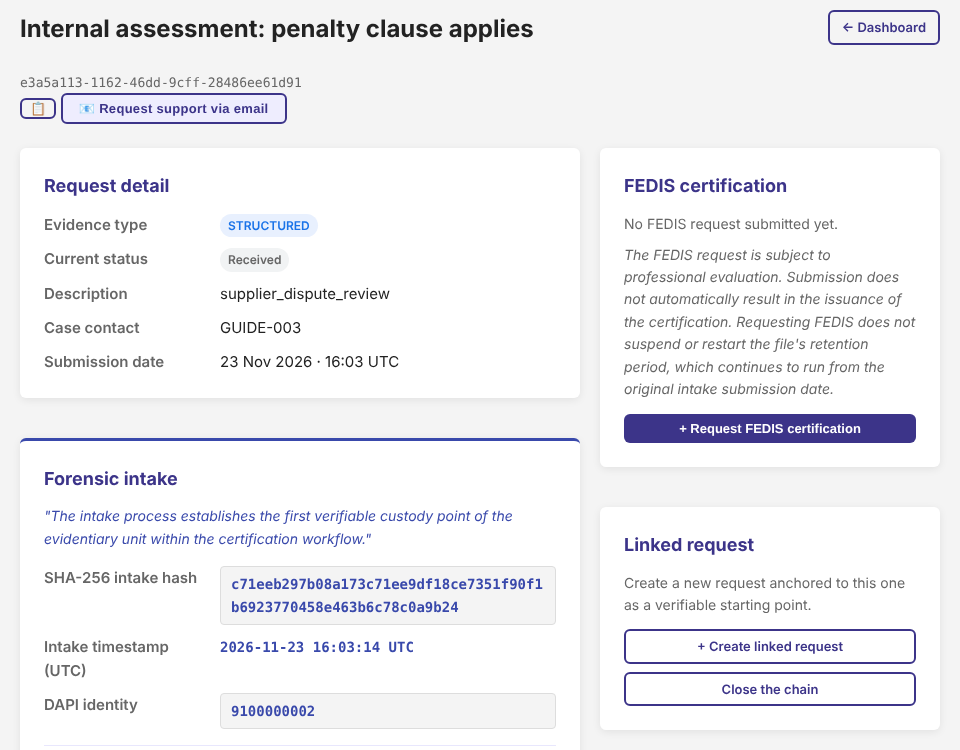
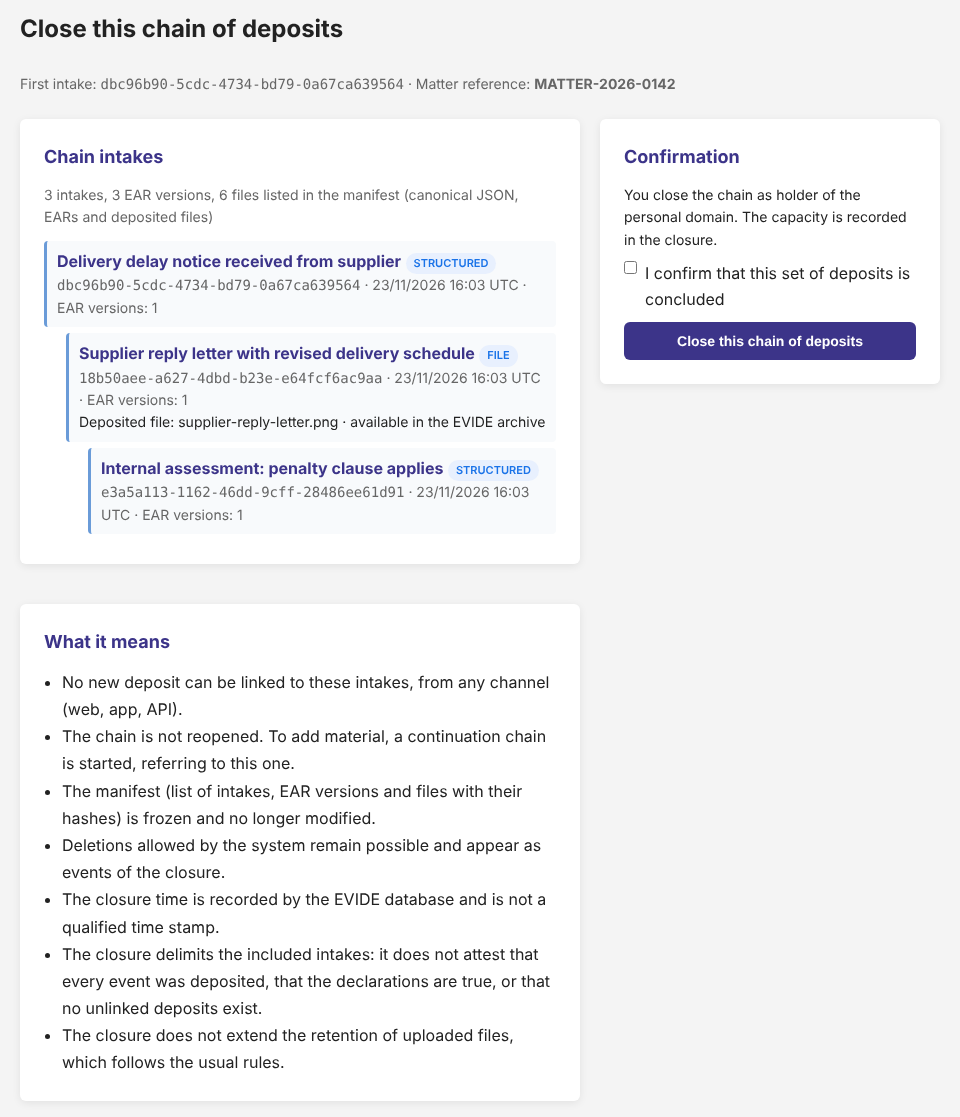
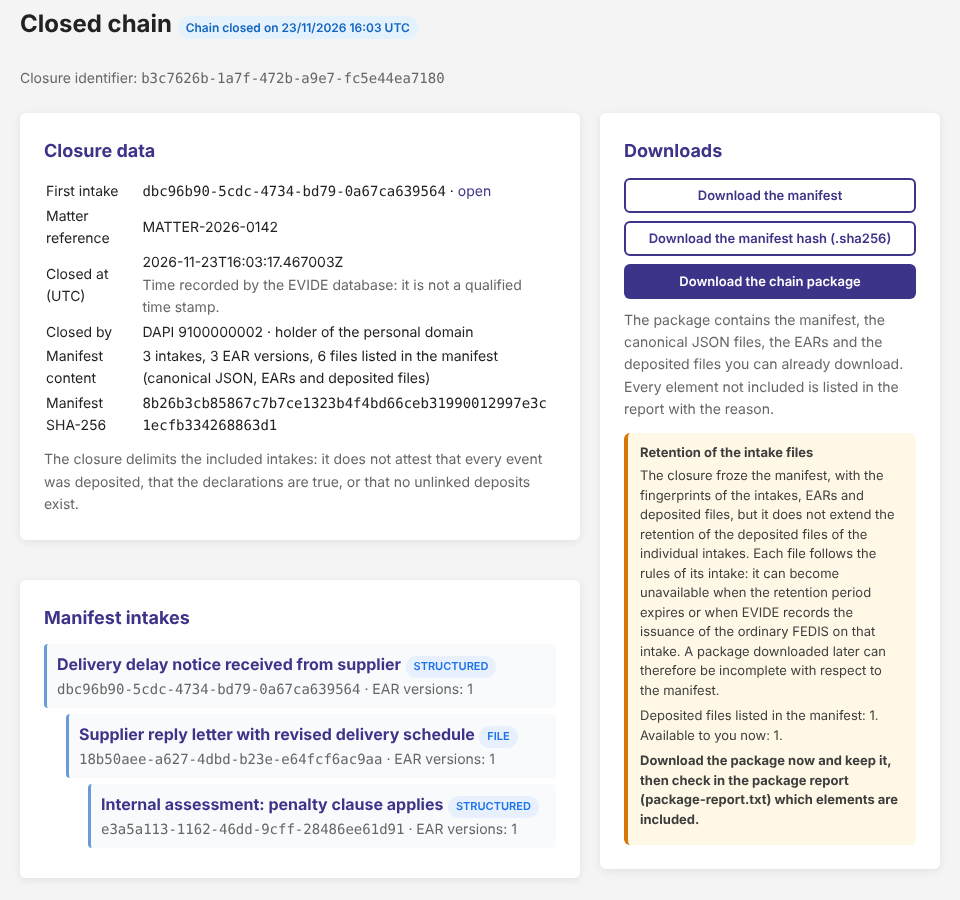
Instead of the confirmation, the preview shows what blocks the closure. The most common cases:
| Message | What to do |
|---|---|
| The chain has a single intake | Only chains with at least two intakes can be closed. |
| The ESB buffer of an intake is still open | Open that intake and close its buffer, then return to the preview. |
| An intake does not have its EAR yet | Retry in a few moments. If it persists, contact support. |
| The chain changed after the preview | A new deposit or a new EAR version arrived while you were confirming. Check the list again and confirm. |
| You cannot close this chain | Ask the depositor of the first intake, or an owner or admin of the organization. |
| Another operation was using this chain | Temporary: retry. |
Other messages ask you to contact support: they concern the integrity of a record and are not resolved by retrying.
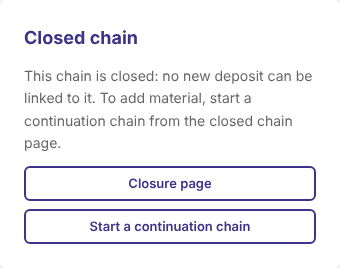
409 chain_closed).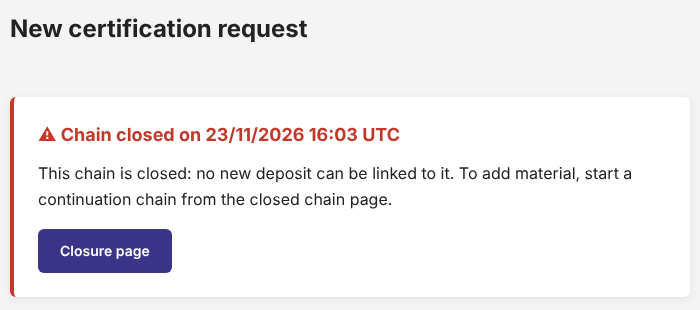
.sha256) and the chain package, a ZIP file with:manifest/: the frozen manifest and its checksum file;items/: the elements listed in the manifest that you can already download, each with its.sha256file;accompanying/: materials not listed in the manifest, such as the offline verifier, the FEDIS reference and, once a FEDIS on the manifest has been issued, its signed PDF (Section 6);package-report.txt: for every element of the manifest, whether it is included and, if not, why;README.txt: what the package contains and how to verify it.
accompanying/verifier/. The verifier compares the fingerprints in your browser and reports, for the manifest, fingerprint correspondence, completeness with respect to the manifest and provenance as separate results. Without the verifier, sha256sum -c on the checksum files in manifest/ and items/ gives the same fingerprint comparison.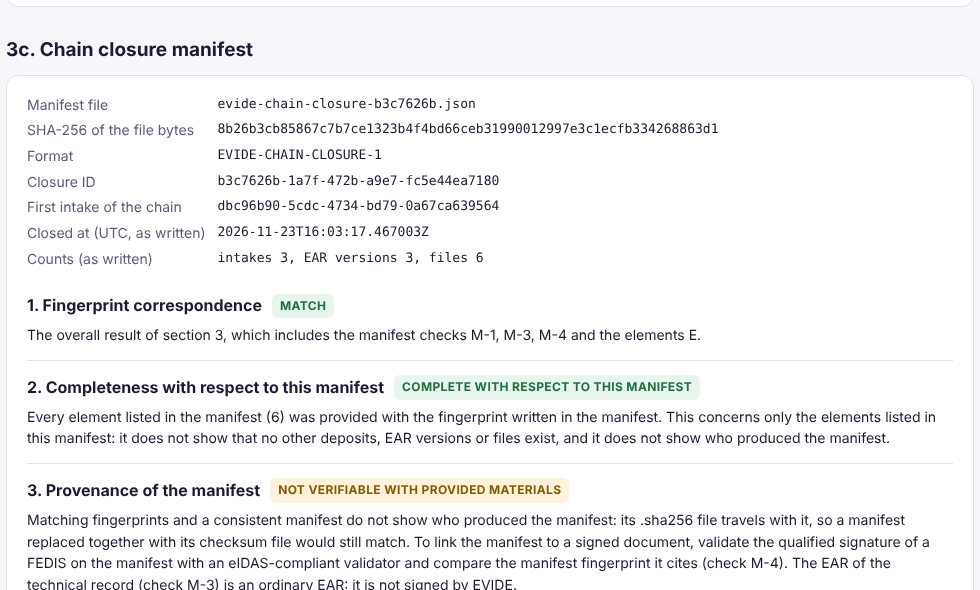
A closed chain stays as it was. To deposit material that arrives after the closure, start a continuation chain: a new chain whose first intake carries a verified reference to the closed chain. It is not part of the closed chain, and the closed chain and its manifest do not change.
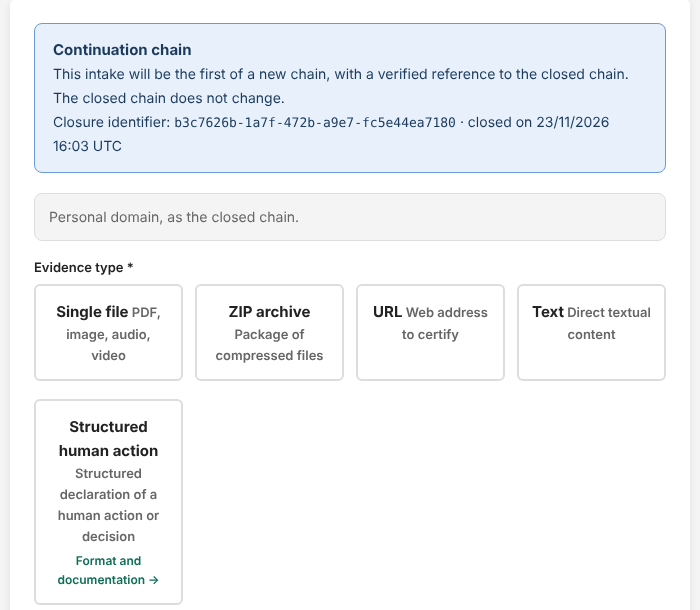
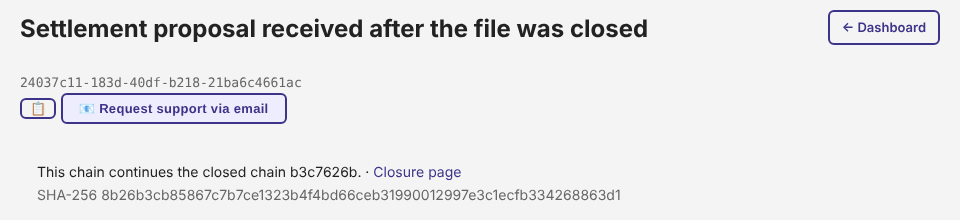
chain.continues_closure_id set to the closure identifier, under the same domain and access conditions. With the EVIDE MCP Server v1.5.0 the parameter is continues_closure_id. Details: API documentation.Verify the link between two closed chains offline
When the continuation chain is closed in turn, its manifest records the chain it continues: the continues field holds the closure identifier of the earlier chain and the SHA-256 of its manifest. The field is part of the newer manifest, so it is covered by that manifest's own fingerprint. If a FEDIS is issued on the newer manifest, the signed PDF cites the same reference.
accompanying/verifier/). In the manifest summary, the row Continues the closure shows the closure identifier and the manifest SHA-256 of the earlier chain, as written in the newer manifest. Copy the SHA-256.manifest/. Matching fingerprints show that the two manifests are linked as written; they do not show who produced them (Section 4).A FEDIS on the manifest is a signed declaration citing the SHA-256 of the manifest of the closure. It can be requested from the FEDIS on the manifest box of the closure page, by those who can close the chain.
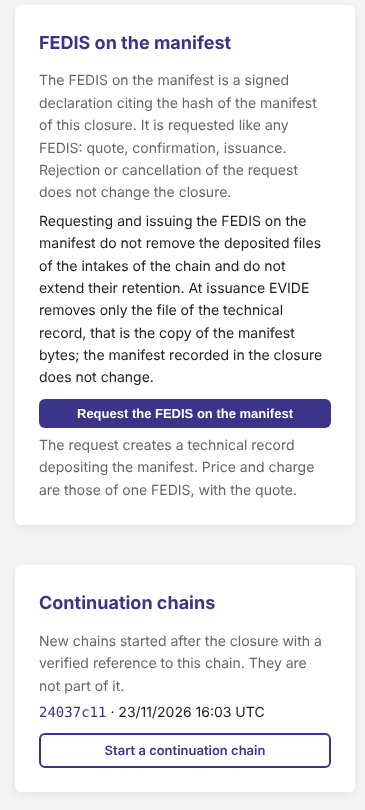
- The request creates a technical record that deposits the exact bytes of the manifest. Quote, confirmation and issuance follow the normal FEDIS process, with the price of one FEDIS.
- The signed PDF is uploaded to the platform, which records its fingerprint. The package includes the current version of the signed PDF, in
accompanying/fedis/with its.sha256file, when the person generating the package has full access to the technical record of the FEDIS and the stored file matches the recorded fingerprint. Replaced versions are only listed infedis-reference.txt. EVIDE does not validate the signature or the time stamp: use an eIDAS-compliant tool. - Rejection or cancellation of the request does not change the closure.
- Requesting and issuing the FEDIS on the manifest do not remove the deposited files of the chain and do not extend their retention.
The closure delimits the included intakes. It does not attest that every event was deposited, that the declarations are true, or that no unlinked deposits exist. Completeness is always relative to the manifest. The closing time is recorded by the EVIDE database and is not a qualified time stamp.
It does not make the set complete or its content true.
Evidentiary Continuity, rules of the closure: app.certifywebcontent.com/docs/evide-evidentiary-continuity/
EAR Offline Verifier: app.certifywebcontent.com/docs/ear-verifier/
The Evidentiary Artifact Record: app.certifywebcontent.com/docs/evide-ear/
API documentation (API v2.3): app.certifywebcontent.com/docs/evide-intake-schema/
EVIDE MCP Server: app.certifywebcontent.com/docs/evide-mcp/
Development timeline: app.certifywebcontent.com/docs/evide-v2-roadmap/
Check the preview, confirm, download the package and keep it.
Anything that comes later goes into a continuation chain.